
Understanding Your Business Electricity Bill in Ireland
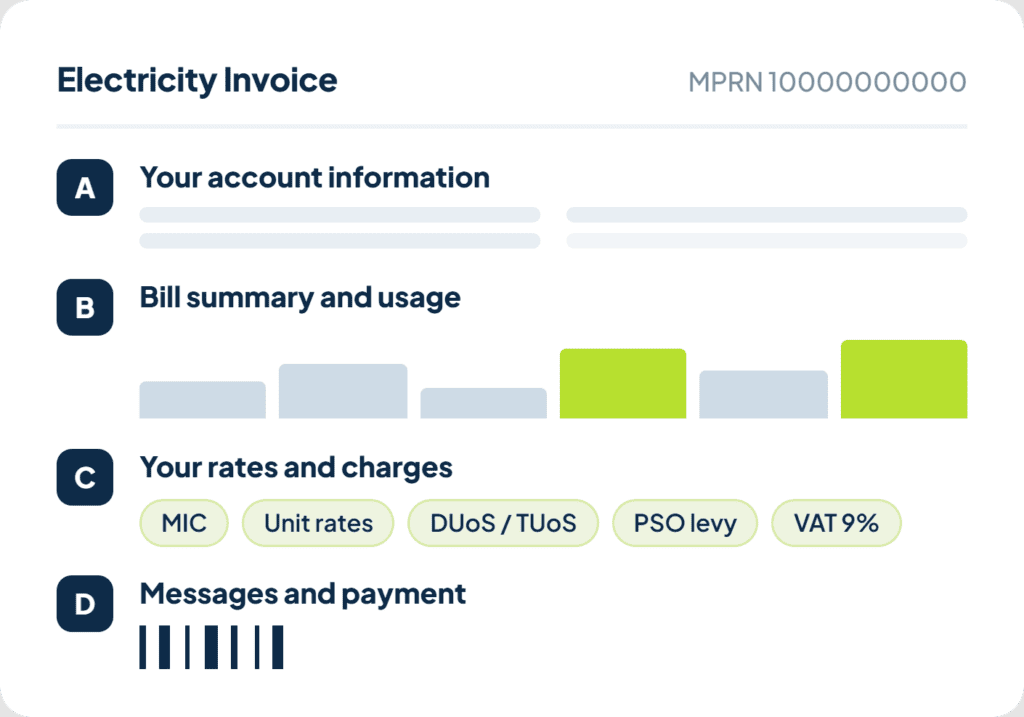
A business electricity bill has four sections. This includes: account information, bill summary and usage, rates and charges, and messages and payment. Once you know what each covers, you can check your own bill for errors or overcharging in a few minutes, without phoning your supplier.
Here is what is actually on it, section by section, and what is worth double-checking.
Key takeaways
• A typical bill is laid out in four sections: your account information, bill summary and usage, rates and charges, and messages and payment.
• MIC is the number most worth checking. It drives your capacity charge and your PSO levy.
• Pass-through charges such as DUoS, TUoS and the PSO levy are set by the regulator and network operators, not your supplier.
• Electricity is charged at the reduced 9% VAT rate, extended to the end of 2030, and is generally reclaimable for VAT registered businesses.
• Several estimated readings in a row is worth querying, one on its own is normal.
Your bill at a glance
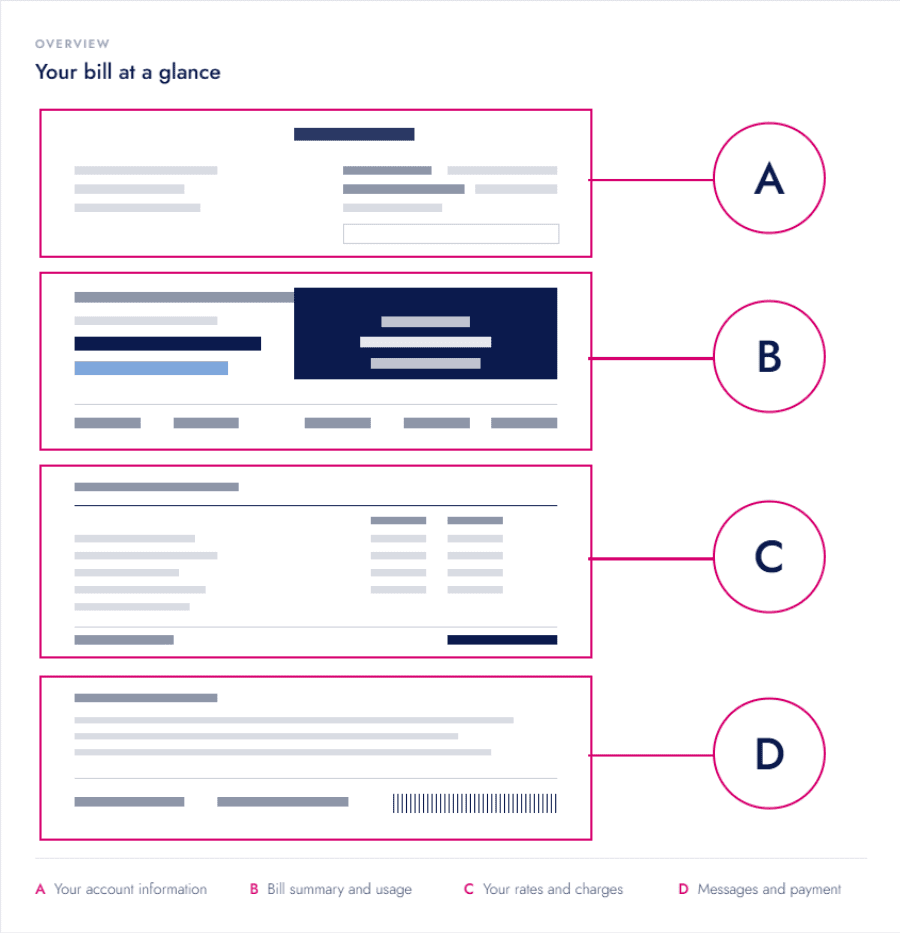
Most Irish business electricity bills follow the same four-section layout, regardless of supplier. Knowing which section covers what makes it much faster to find the figure you’re actually looking for.
| Section | What it covers |
| A. Your account information | Business name and address, account number, MPRN, billing period, bill issue date, contract end date, payment method |
| B. Bill summary and usage | Previous balance and payments received. Total due and payment date. Usage comparison graph. Meter readings |
| C. Your rates and charges | Day, night and peak unit rates, standing charge, pass-through charges, capacity and MIC charges, VAT, total for the period |
| D. Messages and payment | Important account messages and the payment slip and barcode |
Section A: Your account information
This section identifies your business and the specific bill you’re looking at. It’s the first place to check when you’re querying a charge with your supplier or with ESB Networks.
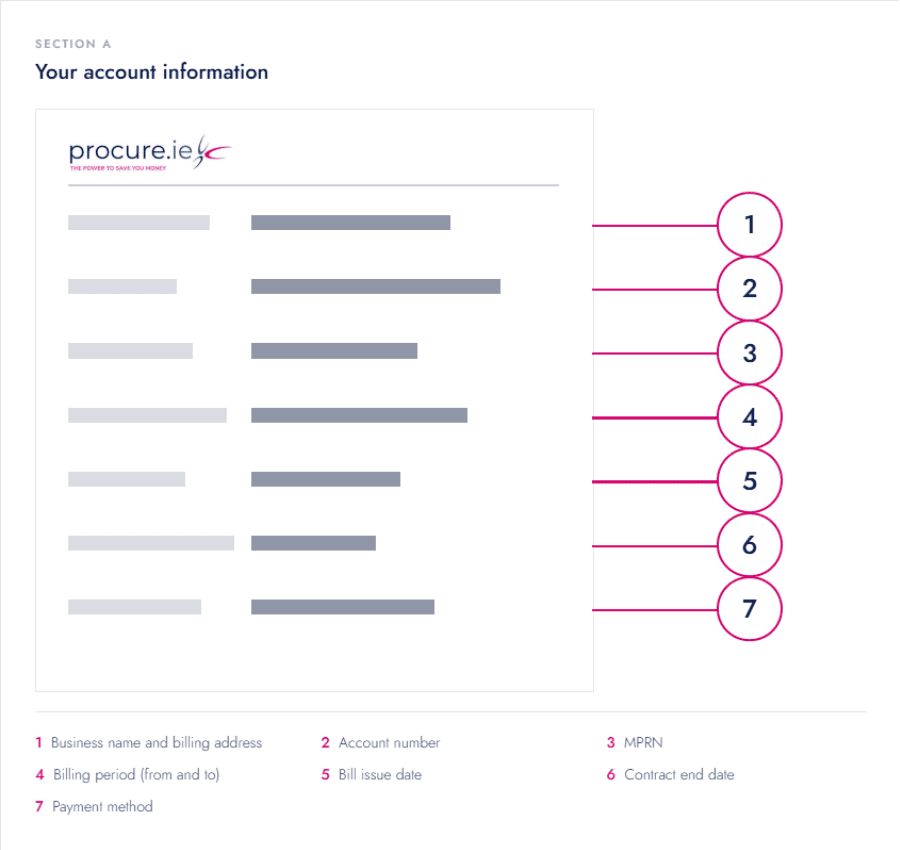
- Business name, billing address and supply address: the registered details your supplier holds for the account. Your supply address is the premises the electricity is supplied to, which is not always the same as the billing address.
- Account number and invoice number: your account number is your unique reference with your supplier, while the invoice number identifies this specific bill. Quote both on any query.
- MPRN (Meter Point Reference Number): an 11 digit number unique to your electricity connection. You will need it for any query with ESB Networks and for switching supplier.
- Billing period (from and to): the dates your usage charges relate to. Commercial bills are typically issued every one to two months rather than annually.
- Bill issue date: the date the bill was generated, not the date it’s due.
- Contract end date: when your current rate or contract expires, worth flagging a reminder well ahead of this.
- Payment method: how the bill is set up to be paid, for example direct debit or invoice.
You may also see MIC, DG, MCC and profile codes near your account details. MIC (Maximum Import Capacity) is the most electricity your premises can draw from the network at once, measured in kVA. It drives several charges in Section C.
DG (Distribution Group) shows whether you’re billed as an urban, rural or business connection. MCC (Meter Configuration Code) tells your supplier what type of meter you have.
Electricity meters fall into standard and smart categories, and the code shows, for example, whether yours is a smart meter set up for time of use billing. Profile is a code used to estimate your consumption pattern where an actual read isn’t available.
Section B: Bill summary and usage
This section shows the money side of the bill at a glance, along with how much electricity you actually used.
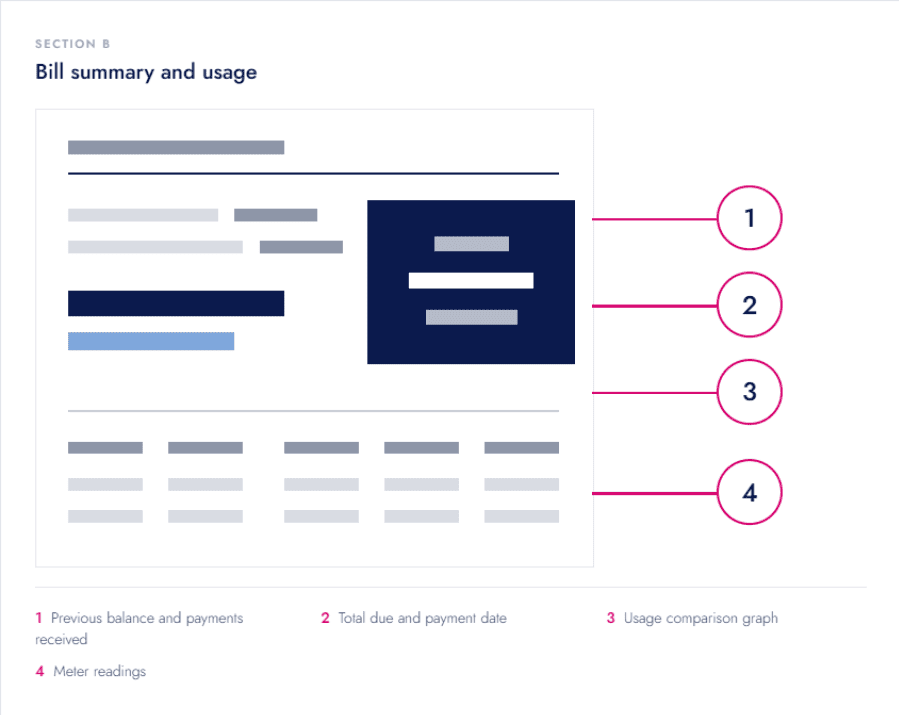
- Previous balance and payments received: any amount carried over from your last bill, and payments logged since then.
- Total due and payment date: the amount to pay and the deadline for this bill.
- Usage comparison graph: a quick visual of how this period’s electricity usage compares to previous periods.
- Meter readings: the readings used to calculate this bill’s usage charges.
Meter readings also carry a reading type, showing whether the bill is based on an actual meter read, a customer submitted read, or an estimate. If your meter is smart and activated, this should say actual.
One estimated reading on its own is normal, but several in a row is worth querying with your supplier or ESB Networks.
Section C: Your rates and charges
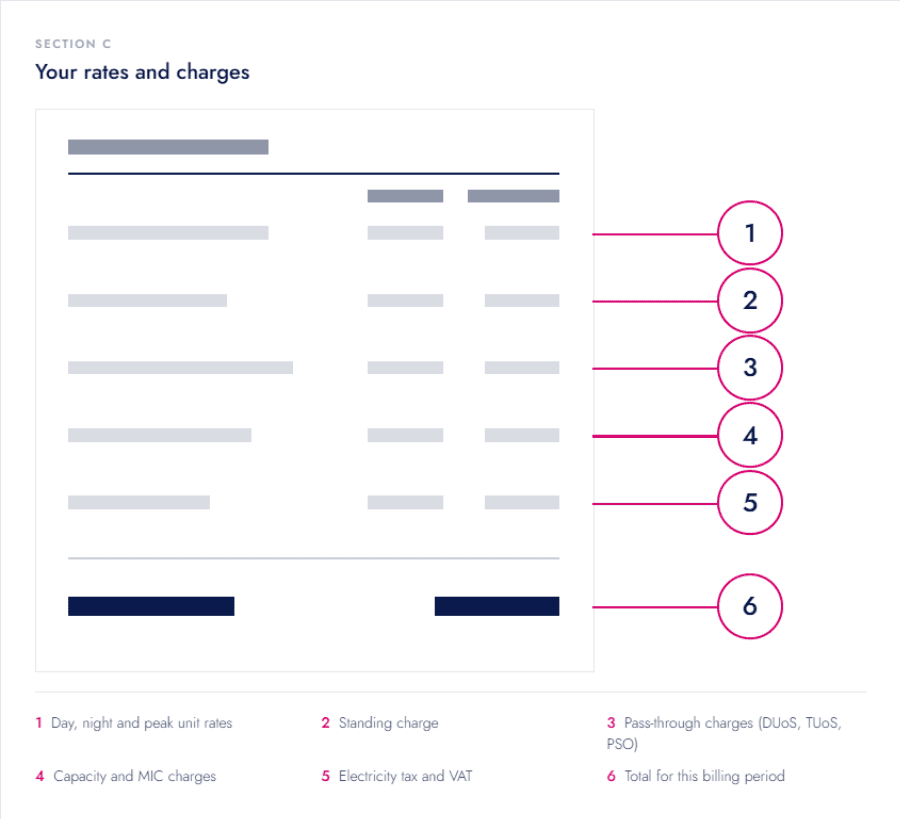
This is where your total bill is actually built up, usage plus a series of fixed and regulated charges, plus VAT.
Standing charge
This is a fixed daily charge that applies no matter how much electricity you use, covering the cost of keeping your premises connected to the network and the cost of maintaining your account. It’s shown as a daily rate multiplied by the number of days in your billing period, so a longer billing period will show a higher standing charge total even if your usage stays the same.
Unit rates: day, night and peak charges
This is the charge for the electricity you actually used, shown in cents per kWh. Depending on your meter and tariff, you might see a single flat rate, separate day and night rates. Alternatively, on a time-of-use tariff with a smart meter, there might be separate peak, day and night rates.
These might vary by time band. Check which structure you’re on, as suppliers package these as different price plans. A business with flexible usage can save by shifting load to cheaper time bands, while a business with fixed daytime hours usually cannot.
Improving energy efficiency, so you use less overall, helps whichever structure you’re on.
Capacity and MIC charges
MIC (Maximum Import Capacity) is worth checking properly. If it’s set higher than your business actually needs, you pay for capacity you’re not using. If it’s set too low, you risk an excess capacity charge when demand spikes.
A common industry guide is to set MIC at around 5% above your highest recorded demand over the past year. The right figure depends on your usage pattern, so it’s worth having this checked rather than guessing.
Pass-through charges: DUoS, TUoS and the PSO levy
Larger business bills can include charges which are collected on behalf of the wider electricity system. This includes: distribution use of system charges, or DUoS (covering the cost of the local network), transmission use of system charges, or TUoS (covering the national grid), and the Public Service Obligation, or PSO, levy.
The regulator and network operators set these charges so they won’t vary if you switch, though the way a supplier bundles or itemises them can differ.
The PSO levy is a government mandated charge, set each year by the Commission for Regulation of Utilities (CRU). It funds the guaranteed price paid to renewable and sustainable generators in Ireland.
Every electricity supplier is required to collect it, so it appears on every business bill regardless of supplier.
| Business MIC | How the PSO levy is charged |
| Below 30kVA | A flat monthly charge per account |
| 30kVA or above | A rate per kVA of MIC, charged monthly |
This is another reason an incorrectly set MIC can cost you money beyond the capacity charge itself.
VAT
Electricity in Ireland is charged at the reduced 9% VAT rate, not the standard 23% rate, and this reduced rate has been extended to 31 December 2030. VAT registered businesses can usually reclaim the VAT on their electricity bill through their normal VAT return. Treatment can vary with your VAT registration status and sector, so check with your accountant if you’re unsure.
Section D: Messages and payment
This section sits at the bottom of the bill and is easy to skip past, but it can flag things worth acting on.
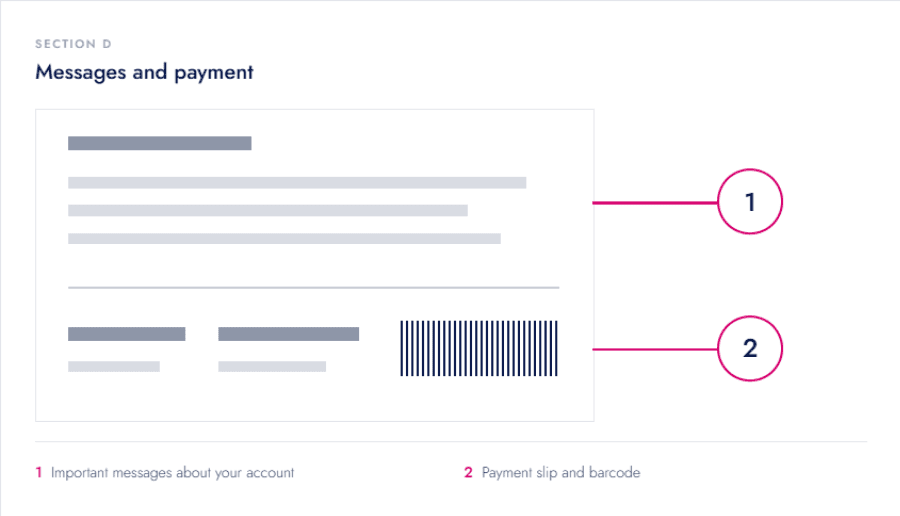
- Important messages about your account: notices such as a contract renewal, a tariff change, or a request to submit a meter reading.
- Payment slip and barcode: used if you’re paying by post or over the counter, includes the barcode your payment needs to be logged correctly.
Common mistakes to avoid
- Never checking whether your MIC matches your actual peak demand, sometimes it’s simply carried over from a previous tenant.
- Ignoring repeated estimated readings instead of querying them with your supplier.
- Assuming a higher bill always means higher usage, when a longer billing period or a tariff change can explain it instead.
- Not comparing your unit rate against your actual signed contract after a renewal, tariffs can shift without an obvious flag.
FAQs
Why is my business electricity bill higher than last time, when energy usage looks similar?
Check the billing period length first, a longer period increases fixed charges like the standing charge even with no change in usage. After that, check whether your tariff or unit rates changed, particularly around a renewal date.
What should I do if my bill shows an estimated reading?
One estimated reading is normal. Several in a row is worth querying with your supplier or ESB Networks, since it means your bill is based on a projection rather than actual usage.
Can I reclaim the VAT on my business electricity bill?
If your business is VAT registered, you can generally reclaim the VAT charged on electricity as part of your normal VAT return. The exact treatment depends on your registration status and sector, so check with your accountant if you’re unsure.
What happens if my MIC is set too low?
If your demand exceeds your MIC, you can be charged an excess capacity fee. If this happens regularly, it’s worth having your MIC reviewed and increased to match your actual usage.
Not sure what you’re looking at? Procure.ie can check your MIC, tariff and charges against the current market and tell you honestly whether anything looks off, free and with no obligation.